

After the prior notice bureau completes the consultation or related service order, you can view the order record and related information through "My Order.
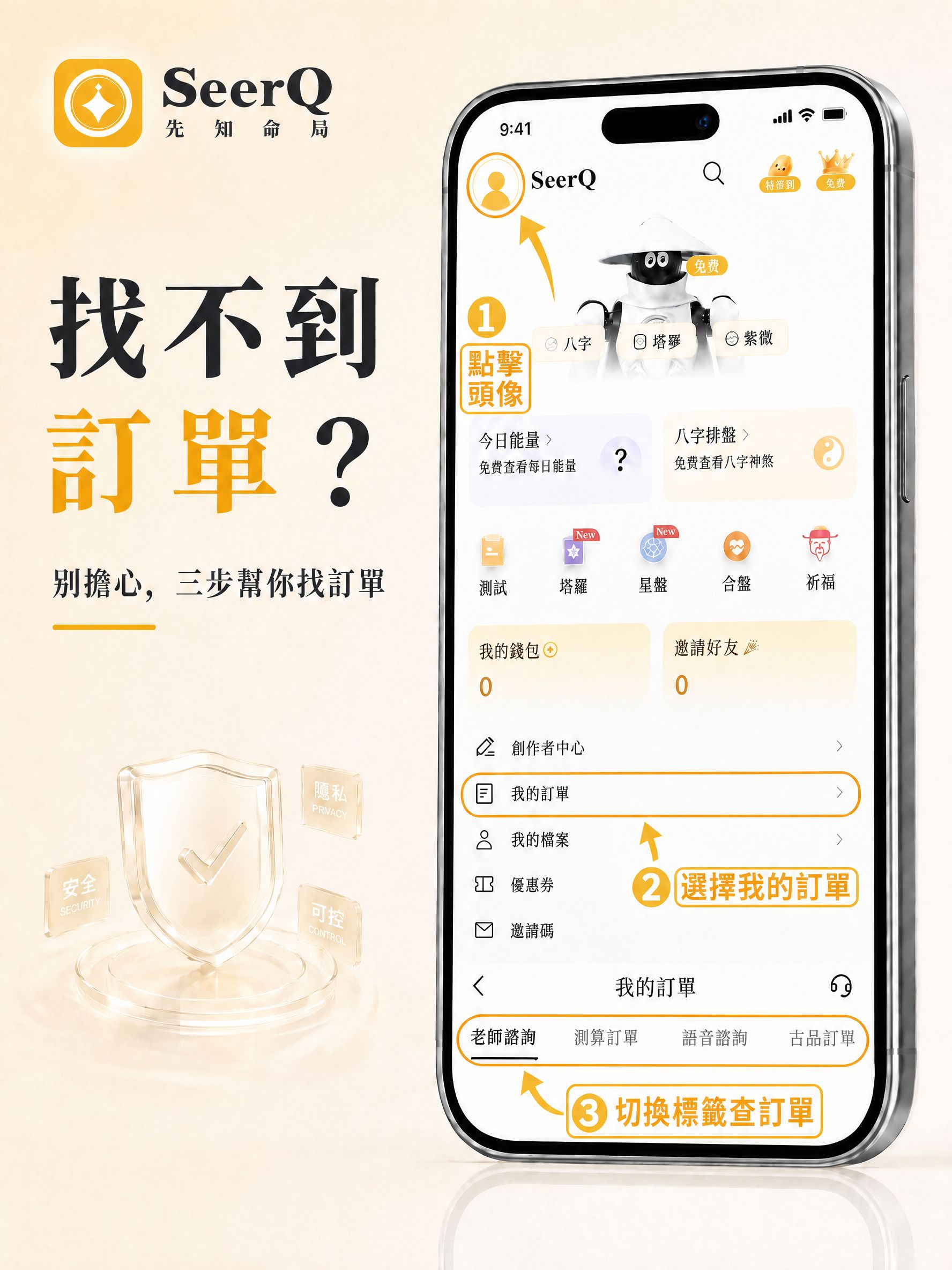
If you cannot find the order temporarily, you can follow the steps below to query.
01 | enter the personal center
open the prophet's bureau App, after entering the home page, click the avatar in the upper left corner of the page to enter the personal center.
02 | Go to "My Orders"
After entering the personal center, find and click **My Orders**.
03 | Query order information
After entering the "My Orders" page, you can view the corresponding order records according to the order type.
the current order page includes:
teacher consultation
calculation order
voice consultation
auspicious order
you can switch the corresponding classification for inquiry according to the service type of actual order.
Reminder
If you have completed the order, but have not found the relevant records in "My Order", it is recommended to confirm whether you have entered the correct order classification.
If you still cannot find the order, you can contact the customer service of the Prophet Bureau and we will assist you in further processing.

















Comments 0